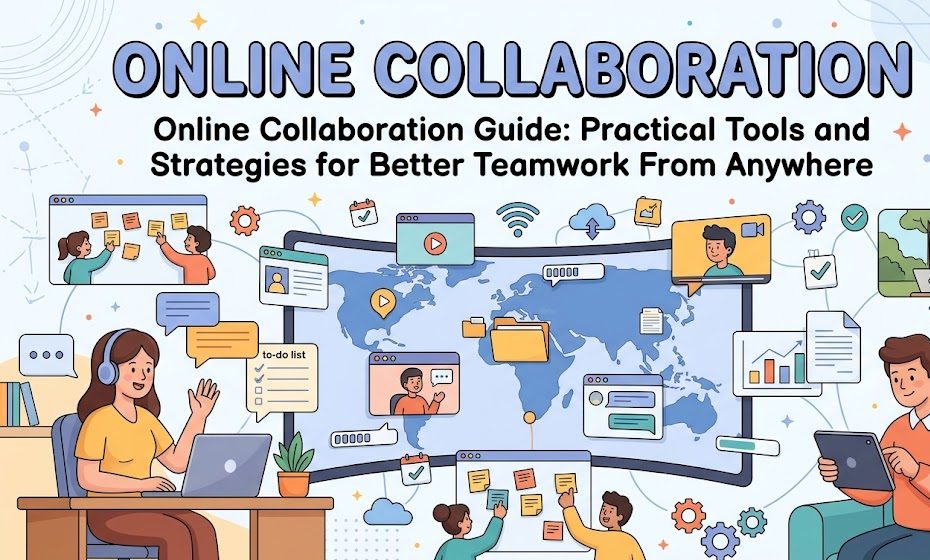
Online Collaboration Made Practical.
A practical guide to choosing collaboration tools, organizing digital workflows, managing communication, sharing files, and building stronger teamwork from almost anywhere.
What Is Online Collaboration?
Understanding the foundation of digital teamwork.
Online collaboration is the process of working with other people through internet-based tools and platforms. Team members can communicate, share files, edit documents, manage tasks, review work, and plan projects without being physically present in the same location.
A small team may only need shared documents and messaging, while a larger organization may require project management, meetings, file storage, calendars, documentation, and workflow systems.
Communication
Keep conversations clear, organized, and easy to follow.
Shared Information
Give everyone reliable access to important project resources.
Responsibilities
Make ownership, deadlines, and project progress visible.
Choose Tools Based on the Job
The best collaboration system is not necessarily the biggest one.
Teams should choose software according to the work they actually perform. Using too many applications can create unnecessary complexity. Start with the essential functions and expand the system only when a genuine need appears.
| Collaboration Need | Useful Tool Type | Main Purpose |
|---|---|---|
| Quick communication | Team messaging | Fast updates and discussions |
| Meetings | Video conferencing | Real-time conversations |
| Document work | Online editors | Shared editing and review |
| File management | Cloud storage | Centralized access |
| Project planning | Task management | Deadlines and ownership |
| Brainstorming | Digital whiteboards | Ideas and visual planning |
Create a Central Communication System
Stop important information from becoming scattered.
When project information is spread across emails, messages, documents, personal notes, and different applications, team members can waste a lot of time searching for answers.
Simple Communication Rules
One Source of Truth
Decide where important project information belongs and encourage everyone to use the same system.
Use Video Meetings Carefully
Meetings should solve problems, not create more work.
Video meetings are useful when real-time discussion is important, but not every question requires a meeting. Simple updates can often be handled through a message, task comment, or shared document.
Organize Shared Files Properly
A clean file system saves time every day.
Cloud storage becomes much more useful when files follow a predictable structure. Avoid placing every document into one large folder. Separate project materials according to their purpose.
Use Clear File Names
Avoid confusing names such as “final2”, “newfinal”, or “latestfile”. Descriptive filenames make shared work much easier to manage.
Project_Report_October_2026 Website_Content_Review_05 Marketing_Plan_Q4Create Clear Task Ownership
Every important task should have a responsible person.
Projects become confusing when everyone assumes someone else is handling a responsibility. Assign a clear owner, priority, deadline, and status to important work.
To Do
In Progress
Review
Completed
Make Responsibilities Visible
Everyone should understand how their work connects.
Clear responsibilities reduce duplicated work and prevent important tasks from being forgotten. A project can divide responsibilities across different roles while keeping the overall objective visible.
Writer
Creates and updates project content.
Designer
Prepares visual materials and layouts.
Developer
Builds and maintains technical components.
Reviewer
Checks quality and identifies problems.
Coordinator
Connects tasks, deadlines, and people.
Approver
Confirms that final work meets requirements.
Use Asynchronous Communication
Good teamwork does not require everyone to be online simultaneously.
Teams working across different schedules or time zones can benefit from asynchronous communication. Instead of expecting immediate responses, messages can contain enough context for the recipient to act later.
Give Context
Explain what you need, why it matters, and when the work should be completed.
Make the Action Clear
End important messages with a specific action instead of a vague request.
Build Useful Documentation
Document information that the team repeatedly needs.
Good documentation reduces repeated questions and helps new team members understand how projects work. It can also preserve useful decisions after a project has finished.
Project Guidelines
Explain important rules, standards, and expectations.
Standard Procedures
Document repeatable processes and common workflows.
Decision Records
Keep important project decisions available for reference.
Frequently Asked Questions
Answer recurring questions in one accessible location.
Technical Notes
Record useful instructions for systems and workflows.
Project Lessons
Capture useful improvements for future projects.
10. Protect Shared Information
Online collaboration also requires responsible handling of files, accounts, documents, and internal information. Basic security practices can reduce unnecessary exposure.
Build a Simple Collaboration Workflow
A predictable process makes projects easier to manage.
Common Online Collaboration Mistakes
Small workflow problems can create major delays.
Build a Better Collaboration Culture
Technology helps, but people determine how well the system works.
A healthy online collaboration culture encourages people to communicate clearly, respect working schedules, share useful information, and take responsibility for their work.
Managers can support this environment by setting clear expectations instead of relying entirely on constant monitoring. Team members should also feel comfortable reporting problems early, because small issues are usually easier to solve before they become major project delays.
Trust
Give people clear expectations and room to complete their work.
Accountability
Make responsibilities and deadlines visible.
Improvement
Regularly identify problems and improve the workflow.
Measure Collaboration Quality
Review the system instead of simply adding more software.
Teams can improve their collaboration process by asking practical questions. Are tasks being completed on time? Do people know where to find important files? Are meetings solving problems? Are responsibilities clear? Do people repeatedly ask the same questions?
Task Progress
Check whether important work is moving forward consistently.
Information Access
Make sure people can quickly find the resources they need.
Meeting Quality
Evaluate whether meetings produce useful outcomes.
Better Tools. Clearer Work. Stronger Teams.
Online collaboration works best when technology supports a clear process. Choose a small set of reliable tools, organize information carefully, assign responsibilities, communicate with purpose, and document important decisions. With these habits, teams can work effectively from almost anywhere while maintaining clarity, accountability, and a strong sense of teamwork.