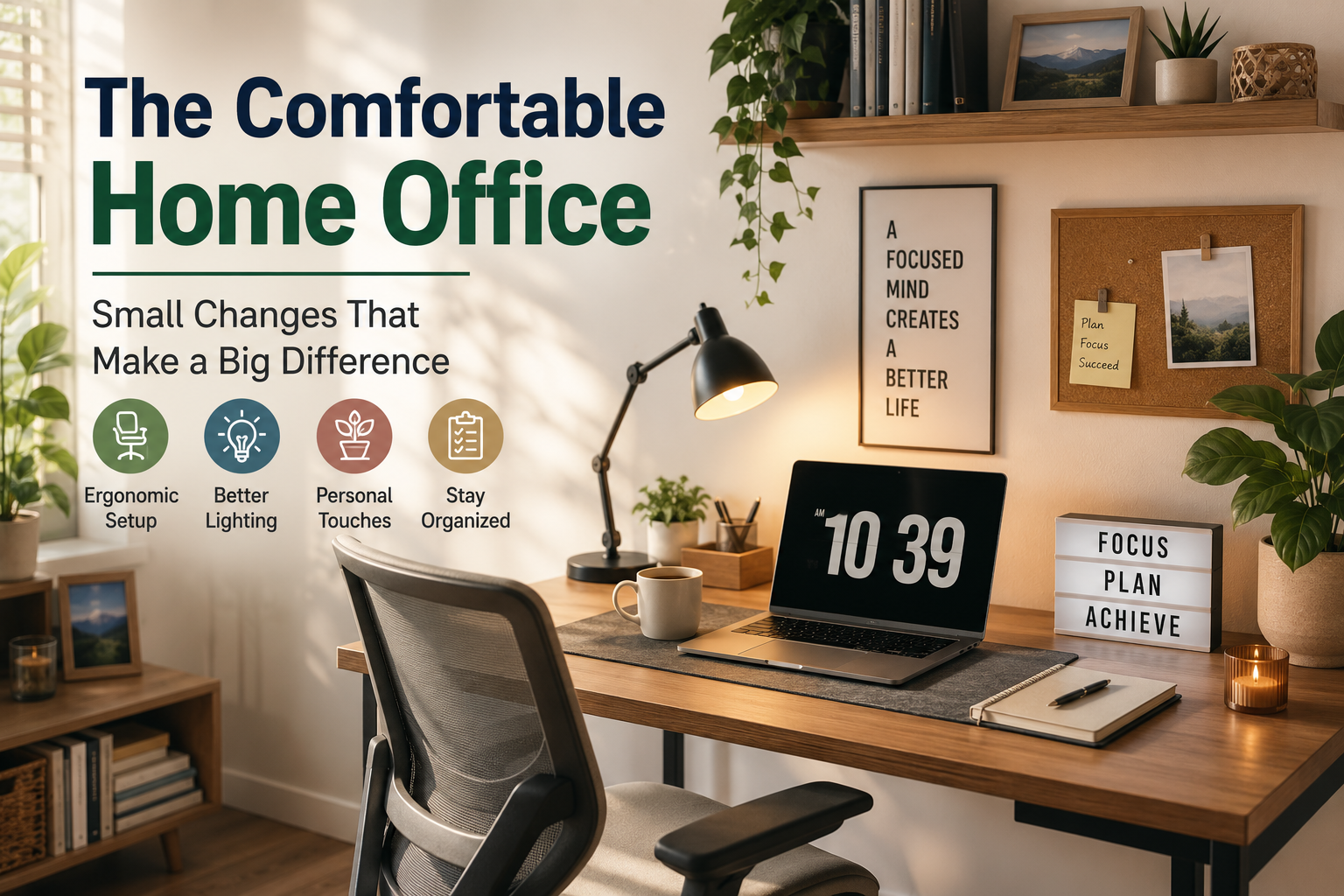
Working from home has become a normal part of professional life for many people across the United States. Whether you work remotely every day, operate a small business, freelance, study from home, or simply need a quiet place for occasional computer work, your surroundings can influence how comfortable and focused you feel.
The good news is that creating a better home office does not necessarily mean buying expensive furniture or completely redesigning a room. Often, the biggest improvements come from small changes that solve everyday problems.
A desk that is slightly too high, poor lighting, an uncomfortable chair, tangled cables, or a cluttered workspace can gradually make work feel more tiring than it needs to be. Fixing these issues one at a time can make a noticeable difference without requiring a major investment.
The goal is to create an office that supports the way you actually work. It should be comfortable enough for long periods of concentration, organized enough to reduce distractions, and flexible enough to adapt when your needs change.
Fix the Things That Annoy You Every Day
If something repeatedly makes working uncomfortable or inconvenient, it is usually a good place to begin. Small improvements become valuable when you experience them every day.
Start With the Chair
Your chair is one of the most important parts of a home office because you may spend several hours using it. A chair does not need to be extremely expensive to be useful, but it should allow you to sit comfortably and maintain a natural position.
Adjust the seat so that your feet can rest comfortably on the floor or on a suitable footrest. Your knees should feel relaxed rather than being forced into an awkward position.
The backrest should provide enough support for your normal sitting position. If your current chair is uncomfortable, a simple cushion or additional support may improve it, although replacing an unsuitable chair may eventually be worthwhile.
Try not to treat sitting in one position for hours as the goal. Even a good chair cannot replace regular movement. Standing up, walking around, and changing position throughout the day can make your workspace feel more comfortable.
Keep your feet comfortably supported.
Choose a position that feels naturally supported.
Change positions instead of staying still all day.
Make Your Desk Work for You
A desk should give you enough space to work without becoming a storage area for everything in the house.
Keep the items you use frequently within easy reach. Less frequently used supplies can go into drawers, shelves, or storage containers. This creates more open space and makes it easier to concentrate.
If your desk is too small, look vertically. Wall shelves, small organizers, pegboards, and compact storage units can provide useful space without taking up much of the desktop.
Another simple improvement is to create separate areas for different activities. You might keep your computer in one section, writing materials in another, and personal items away from your primary work area.
Give Every Frequently Used Item a Home
When your most-used items have a consistent place, cleaning up at the end of the day becomes easier and the workspace naturally stays more organized.
Improve Your Lighting
Lighting can dramatically change how a home office feels. A room that is too dark can feel dull, while strong glare from a window or overhead light can make screen work uncomfortable.
If possible, take advantage of natural daylight. Positioning your desk near a window can make the room feel brighter and more inviting. However, avoid placing a monitor where direct sunlight creates strong reflections on the screen.
A desk lamp can provide additional light when natural daylight is not enough. Adjustable lamps are especially useful because you can direct light toward paperwork or other areas without illuminating the entire room.
Think about the overall balance of the room rather than relying on a single bright light source. A combination of ambient and task lighting can create a more pleasant environment.
Look for Glare Before Adding More Light
Sometimes the problem is not a lack of brightness but an uncomfortable reflection. Adjust the monitor, curtains, lamp, or desk position before simply adding another light.
Position Your Monitor More Comfortably
Your monitor should be positioned so that you can work without constantly bending your neck or leaning forward.
If the screen is too low, a monitor stand or even a stable riser designed for the purpose can help bring it to a more comfortable viewing position. If you use multiple monitors, arrange them based on which screen you use most frequently.
The viewing distance also matters. You should be able to read the screen without constantly moving your head forward. If text looks too small, increasing the display scaling or text size may be more useful than moving closer.
For laptop users, an external keyboard and mouse can provide more flexibility because the screen and keyboard no longer have to remain attached to the same physical position.
Control Cable Clutter
Cables are one of the easiest ways for a home office to look messy. Computers, monitors, chargers, speakers, lamps, and other devices can quickly create a confusing collection of wires.
Start by identifying which cables you actually use. Remove unnecessary ones from the desk and organize the remaining cables with simple clips, sleeves, or cable-management channels.
Labeling cables can also help. If you regularly disconnect equipment, knowing which cable belongs to which device can save time.
Keep power connections accessible rather than hiding everything in a difficult-to-reach location. Organization should make the workspace easier to maintain, not harder.
Keep related cables together.
Make frequently disconnected cables easy to identify.
Keep cables away from walking areas.
Create a Calmer Visual Environment
Your home office does not need to look like a corporate workspace. A few personal touches can make it feel more comfortable and welcoming.
A plant, framed photograph, small piece of artwork, or a favorite decorative object can add personality without taking over the room.
The key is balance. Too many objects can become distractions, especially when you are working on something that requires concentration.
Choose a few items that make the space feel pleasant and keep the rest of the room visually simple.
Colors can also influence the atmosphere. Natural greens, soft neutrals, warm wood tones, and muted colors can create a calmer visual environment without making the office feel sterile.
Decorate With Intention
Choose items that make you feel comfortable or motivated, but avoid filling every available surface. A little personality can go a long way.
Use Storage That Matches Your Habits
Organization works best when it matches the way you naturally use your space.
If you frequently use notebooks and pens, keep them somewhere easy to reach. If paperwork tends to accumulate, create a dedicated tray or folder for documents that still need attention.
Digital organization matters too. A clean desktop on your computer, clearly named folders, and a simple file structure can reduce the mental clutter that comes from searching for information.
Do not create an elaborate organizational system that requires constant maintenance. The best system is usually the one you can follow without thinking about it.
Make Room for Movement
A comfortable home office should not encourage you to remain seated in exactly the same position for hours.
Consider how you can naturally move throughout the day. Keep water nearby but not directly in the way. Stand up during phone calls when appropriate. Take short breaks between tasks and walk around the house occasionally.
If your space allows it, a sit-stand desk or adjustable desk converter may provide another option. However, you do not need specialized equipment to introduce more movement into your workday.
Even simple habits such as standing during a short call or walking around while thinking can make the day feel less static.
A Simple Movement Routine
Before work: Adjust your chair, screen, and desk.
During work: Change position periodically.
Between tasks: Stand up or walk briefly.
During calls: Move when practical and appropriate.
End of day: Step away from the workspace rather than continuing indefinitely.
Reduce Digital Distractions
Physical organization is only half of a comfortable home office. Your computer screen can also become a source of constant distraction.
Close applications you are not using. Keep your desktop reasonably organized and consider turning off unnecessary notifications during focused work periods.
If your work allows it, create specific periods for checking email and messages instead of responding to every notification immediately.
Separating focused work from communication can make the day feel less fragmented. You do not need to eliminate every distraction; simply make it easier to control them.
Create a Clear Start and End to Your Workday
One challenge of working from home is that the office and living space are often in the same place. Without a clear routine, work can easily continue long after the intended workday has ended.
A simple opening and closing routine can help create a stronger boundary.
At the beginning of the day, clear the desk, review your priorities, and prepare what you need. At the end, close unnecessary applications, organize your workspace, and write down any important tasks for the next day.
If possible, physically leave the workspace when your workday is complete. Even a short walk into another room can help create a mental transition.
End the Day With a Cleaner Desk
Put supplies away, remove unnecessary items, organize cables, close digital distractions, and write down tomorrow’s first priority. A clean starting point can make the next morning easier.
Add Comfort Without Overspending
You do not have to purchase everything at once. Start with the change that will make the biggest difference to your daily experience.
If the chair is uncomfortable, address that first. If your eyes are bothered by glare, improve the lighting and screen position. If clutter is the main problem, focus on storage and organization.
Small improvements can be inexpensive. Cable clips, a desk lamp, a simple organizer, a monitor riser, or a small plant may cost far less than replacing an entire office.
Before buying anything, look at what you already own. Sometimes moving a desk, rearranging a lamp, or removing unnecessary items can solve a problem without spending money at all.
Build Your Office Around Your Real Needs
There is no single perfect home office layout. Someone who spends most of the day on video calls will have different priorities from someone who writes, designs, studies, manages spreadsheets, or works with physical documents.
Think about what your work actually requires.
If video meetings are common, consider your background, lighting, microphone, and camera position. If you work with paperwork, leave enough desk space for documents. If you use several devices, plan your cable management before adding more equipment.
The best workspace is one that supports your actual routine rather than copying a picture from a magazine or social media.
| Problem | Simple Change | Potential Benefit |
|---|---|---|
| Clutter | Use drawers or compact organizers | More usable desk space |
| Glare | Change screen or lamp position | More comfortable viewing |
| Cable Mess | Group and secure cables | Cleaner workspace |
| Small Desk | Use vertical storage | More available surface |
| Distractions | Reduce notifications | Easier focused work |
Frequently Asked Questions
How can I make my home office more comfortable without spending much?
Start with free or inexpensive changes such as rearranging the desk, improving lighting, reducing clutter, organizing cables, adjusting your monitor position, and creating a simple end-of-day cleanup routine.
What is most important in a home office?
Comfort, a practical desk setup, suitable lighting, organization, and the ability to work with fewer distractions are among the most important factors. Your priorities should depend on the type of work you do.
How can I organize a small home office?
Use vertical storage, keep frequently used items within reach, move rarely used supplies into drawers, and keep the desktop focused on the tasks you perform most often.
How often should I clean my workspace?
A quick five-minute reset at the end of each workday can prevent clutter from building up. A deeper organization session can be done whenever the workspace starts becoming difficult to use.
Does a home office need expensive furniture?
Not necessarily. Expensive furniture can provide useful features, but many improvements come from proper positioning, organization, lighting, and choosing equipment that fits your actual needs.
A Better Office Can Start With One Small Change
Creating a comfortable home office does not require a complete renovation or a large budget. Start by identifying the things that make your workday uncomfortable or unnecessarily difficult.
Adjust the chair, improve the lighting, organize the desk, manage cables, reduce distractions, and create a simple routine for keeping the space clean. Over time, these small changes can turn an ordinary corner of your home into a workspace that feels more comfortable, organized, and practical.