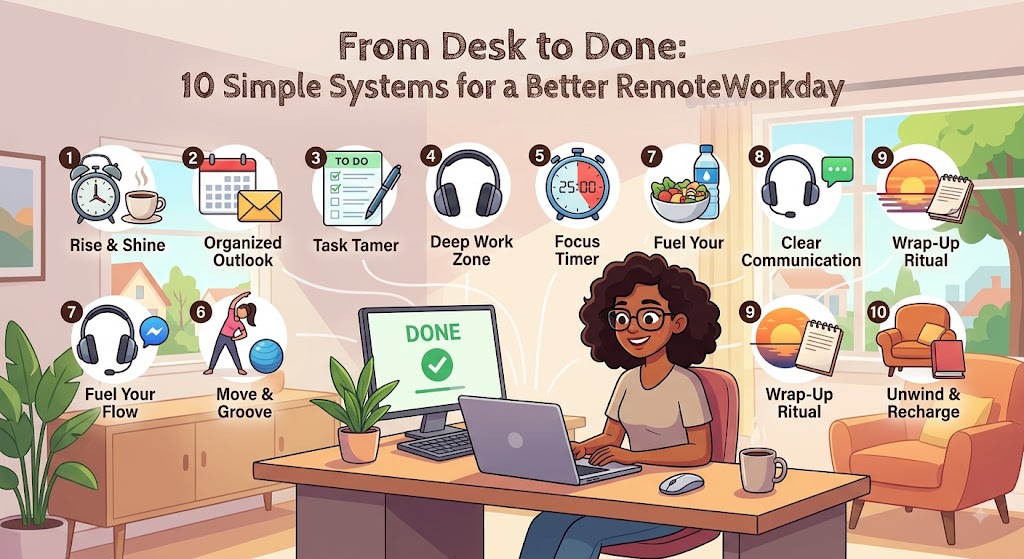
Remote work gives people a level of flexibility that traditional office routines cannot always provide. You can avoid a long commute, personalize your workspace, and often organize your day around the hours when you work best. But flexibility also creates a responsibility: you have to create much of the structure yourself.
Without simple systems, a remote workday can quickly become a collection of interruptions. You may start with one task, answer an email, join a meeting, check a message, remember another deadline, and eventually realize that the original task is still unfinished.
The solution is not necessarily a complicated productivity system. In many cases, a few repeatable habits can make a noticeable difference. The purpose of a system is to remove unnecessary decisions and make useful behaviors easier to repeat.
Below are ten practical systems that can help remote workers create a more organized day from the moment they sit down at their desk until they officially finish.
Good Systems Reduce Friction
The best productivity system is usually the one that is simple enough to use every day. Start small, keep what works, and remove anything that creates unnecessary complexity.
1. The Same-Place Start System
Begin your workday in a consistent location whenever possible. This does not mean you need an expensive home office. A small desk, table, or quiet corner can become your regular work area.
Using the same place creates a familiar signal that it is time to focus. Keep the basic items you need nearby, such as your computer, notebook, charger, headphones, or other work materials.
Before beginning, spend a minute clearing unnecessary items from the surface. A clean starting point can make the first task feel easier to approach.
Make Starting Automatic
Keep your essential work tools ready so you spend less time preparing and more time actually working.
2. The Three-Priority System
Instead of creating a daily task list with twenty items, choose three priorities that genuinely matter.
These priorities should represent meaningful work rather than every small activity that appears during the day. For example, completing a project section, preparing a presentation, or finishing an important report could be a priority.
Smaller tasks can still be handled, but your three main priorities provide direction when the day becomes busy.
The task with the greatest impact.
The next important outcome.
A useful task that moves work forward.
3. The Focus-Block System
Remote work becomes easier when you stop expecting yourself to concentrate continuously for hours.
Instead, divide the day into focused blocks. During a focus block, choose one type of work and reduce distractions as much as your job allows.
You might spend an hour writing, reviewing documents, designing, analyzing information, or completing another important task. Afterward, take a short break or move to a different type of activity.
The length of a focus block does not need to follow a strict productivity method. Find a period that feels realistic for your concentration and your responsibilities.
4. The Notification Window System
Constant notifications can turn a focused workday into a series of interruptions.
Instead of checking messages every few minutes, create specific windows for routine communication. For example, you might review email in the morning, again around midday, and once more during the afternoon.
This approach will not work for every job. Customer support, management, healthcare, and other roles may require faster responses. But even in communication-heavy jobs, separating urgent alerts from routine updates can help.
Protect Your Attention
If a notification does not require immediate action, it does not necessarily deserve immediate attention.
5. The Meeting Filter System
Meetings can consume large portions of a remote workday, especially when every discussion automatically becomes a video call.
Before accepting a meeting, understand why it is happening and whether your participation is necessary. Some updates may be handled through a written message or shared document.
When you do attend a meeting, keep notes about decisions, responsibilities, and deadlines. This makes it easier to turn conversations into actual action.
After the meeting, convert important discussion points into tasks. A meeting should ideally create clarity rather than another layer of confusion.
6. The Single Capture System
Ideas, reminders, requests, and small tasks can appear throughout the day. If you try to remember all of them, your attention becomes overloaded.
Create one reliable place to capture these items. It could be a notes application, task manager, notebook, or another tool you already use.
The important part is consistency. Avoid keeping some tasks in email, others on sticky notes, and others in your head.
When everything has a home, you can return to the list during planning periods instead of interrupting your current work every time you remember something.
One Place Is Better Than Five Half-Used Lists
Choose one trusted capture location and make it easy to access. Review it regularly so important items do not disappear into an old note.
7. The Break-and-Reset System
Breaks should be part of the work system rather than something you take only when you are already exhausted.
After a period of concentrated work, step away from the screen. Stand up, get water, stretch, walk around, or simply change your surroundings.
A break also gives you an opportunity to decide what comes next. Before returning to your desk, identify the next task so you do not waste several minutes deciding where to begin.
Step away from the screen.
Clear your attention.
Come back knowing your next step.
8. The End-of-Day Shutdown System
One of the most important remote work systems happens at the end of the day.
Instead of simply closing your laptop when you are tired, create a short shutdown process. Review what you completed, identify unfinished work, organize your files, and decide what you need to address first tomorrow.
Then close work applications and put away your equipment.
This routine can help prevent unfinished tasks from following you into the evening. You know they have been recorded and can be handled during the next work period.
Finish Before You Finish
A short review and reset gives your brain a clear endpoint instead of leaving work mentally open all evening.
9. The Tomorrow-First System
Before ending your workday, decide what you will start with tomorrow.
This simple habit removes one of the most common sources of morning friction: having to figure out where to begin.
Choose one clear first task. It could be reviewing a document, continuing a project, preparing for a meeting, or completing another important action.
When you sit down the next morning, you already have a direction. You do not need to spend the first twenty minutes scrolling through your task list trying to decide what matters.
10. The Weekly Reset System
Daily planning is useful, but a weekly reset helps prevent small problems from becoming long-term problems.
At the beginning or end of each week, review upcoming deadlines, meetings, projects, and personal commitments.
Look for overloaded days and move flexible tasks when possible. Identify important work that needs dedicated focus time and reserve space for it.
Also review what did not work during the previous week. Maybe too many meetings interrupted your mornings, notifications became distracting, or your task list was unrealistic.
Use that information to adjust the following week.
| System | Simple Action | Main Benefit |
|---|---|---|
| 1. Same Place | Start work in a consistent area | Creates structure |
| 2. Three Priorities | Choose three important outcomes | Improves focus |
| 3. Focus Blocks | Work in dedicated periods | Protects attention |
| 4. Notifications | Check routine messages at set times | Reduces interruptions |
| 5. Meeting Filter | Evaluate meeting value | Protects work time |
| 6. Single Capture | Keep tasks in one place | Reduces mental load |
| 7. Break & Reset | Take intentional breaks | Restores attention |
| 8. Shutdown | Close work deliberately | Creates closure |
| 9. Tomorrow First | Choose tomorrow’s first task | Improves morning momentum |
| 10. Weekly Reset | Review the week ahead | Creates better planning |
Do Not Turn Every System Into Another Task
There is an important warning when building productivity systems: the system itself should not become a burden.
You do not need a complicated dashboard, multiple planning applications, dozens of labels, or an elaborate morning ritual just to have a productive remote workday.
Start with the smallest version of each system. A three-item priority list is enough. A five-minute shutdown is enough. One place for capturing tasks is enough.
If a system makes your day more complicated, simplify it.
Productivity should reduce friction, not create more administrative work.
Connect the Systems Into One Routine
The real value comes when these systems work together.
You begin in a consistent workspace, choose three priorities, work through focused blocks, check communication at sensible times, take breaks, and capture new tasks in one place.
At the end of the day, you review your work, decide tomorrow’s first priority, shut down your workspace, and step away.
Once a week, you review the larger picture and make adjustments.
None of these habits needs to be complicated individually. Together, they create a repeatable rhythm that makes remote work more predictable.
The Goal Is a Repeatable Day, Not a Perfect Day
Unexpected meetings, urgent requests, and distractions will happen. A good system simply helps you return to your priorities when the day becomes unpredictable.
Frequently Asked Questions
What is the simplest productivity system for remote work?
Start with three habits: choose your most important tasks each morning, protect blocks of focused work, and complete a short shutdown routine at the end of the day.
How many tasks should I put on my daily list?
There is no universal number, but keeping three major priorities can make the list easier to manage. Smaller administrative tasks can be handled around those priorities.
How can I reduce distractions while working from home?
Use focused work blocks, reduce unnecessary notifications, keep your workspace organized, and avoid switching between unrelated tasks unless your role requires it.
Is a weekly planning session really necessary?
A weekly review can be helpful because it gives you a chance to see deadlines, meetings, and larger projects together. It also allows you to adjust your routine based on what worked the previous week.
How do I know whether a productivity system is working?
Look for practical improvements. You should be able to identify priorities more easily, complete important work more consistently, spend less time searching for information, and finish the day with a clearer sense of closure.
From Desk to Done, Keep the System Simple
A better remote workday does not require a complicated productivity setup. Small systems can create structure around your work while leaving room for flexibility.
Choose a consistent workspace, identify your priorities, protect focused time, control notifications, manage meetings, capture tasks in one place, take real breaks, and close the day intentionally. Add a weekly reset to keep everything moving in the right direction.