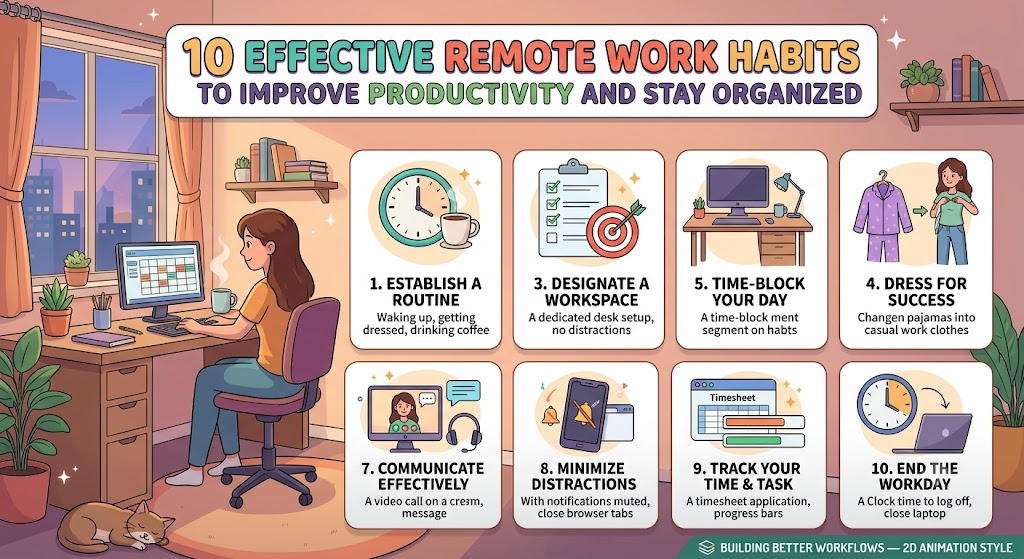
Build Better Habits for Productive Remote Work
Remote work gives people more flexibility in how they manage their working day. It can also create new challenges when work and personal activities happen in the same place. A clear routine can make remote work easier to manage and more consistent.
Habits That Make Remote Work Easier
Small daily improvements can help you stay focused organized and connected while working from home.
Why Remote Work Habits Matter
A productive remote workday does not depend only on working longer. Good habits help create structure around your time tasks communication and workspace. When these areas are organized it becomes easier to understand what needs attention and when the workday should end.
Start at a Consistent Time
Try to begin work around the same time on most working days. A predictable starting routine helps create a clear transition from personal time to professional time.
Create a Dedicated Workspace
A dedicated work area can help separate work activities from household activities. It does not need to be a complete office. A small desk or organized corner can be enough.
Plan Your Main Tasks
Begin the day by identifying the most important tasks. A short task list makes the workload easier to understand and reduces the chance of forgetting important work.
Use Time Blocks
Divide your working day into blocks for focused work meetings communication and routine tasks. This approach gives different activities their own space during the day.
Take Short Breaks
Continuous work for many hours can make it harder to maintain attention. Short breaks provide an opportunity to step away from the screen and reset before continuing.
Keep Your Digital Files Organized
Remote work often depends on digital documents messages and shared files. Clear folders and simple file names make it easier to locate information when you need it.
Control Notifications
Frequent notifications can interrupt focused work. Review the alerts on your computer and phone and keep only the notifications that require regular attention.
Communicate Clearly
Remote teams rely heavily on written communication. Clear messages help coworkers understand tasks deadlines questions and updates without unnecessary back and forth.
Set a Clear End to the Workday
One challenge of working from home is knowing when to stop. A simple end of day routine can create a boundary between work and personal time.
Review Your Routine
Your remote work system should change when your responsibilities change. Spend a few minutes each week reviewing what worked and what created unnecessary difficulty.
A Simple Remote Work Rhythm
Prepare
Check your priorities and prepare the workspace before beginning focused work.
Create
Work on important tasks while reducing unnecessary notifications and interruptions.
Connect
Handle meetings messages updates and collaborative work during suitable periods.
Close
Review completed work prepare for the next day and finish the working session.
Simple Systems for Everyday Work
Workspace Organization
- Keep the desk free from unnecessary items
- Place important equipment within reach
- Use one location for daily work materials
- Keep cables and chargers organized
- Clean the workspace at the end of the day
Digital Organization
- Create simple folders for major projects
- Use meaningful names for important files
- Keep the task list updated
- Archive finished projects regularly
- Review important documents before deadlines
Do Not Confuse Activity With Productivity
Being busy throughout the day does not always mean that important work is getting completed. Responding to every message checking notifications constantly and switching between many tasks can consume time without creating meaningful progress. Focus on the work that actually needs to be completed and give important tasks enough uninterrupted attention.
Remote Work Is Also About Teamwork
Before Sending a Message
- Explain the topic clearly
- Include the required information
- State what action is needed
- Include a useful deadline when necessary
- Check the message before sending it
During Online Meetings
- Join prepared with the required information
- Keep notes about important decisions
- Stay focused on the current discussion
- Ask questions when something is unclear
- Record follow up tasks after the meeting
Build a Routine That Works for You
Effective remote work is usually built through small repeatable habits rather than complicated systems. Start with a consistent schedule a clean workspace a short task list and clear communication. Then improve your routine based on your actual working style. The goal is to create a workday that feels organized focused and manageable from start to finish.