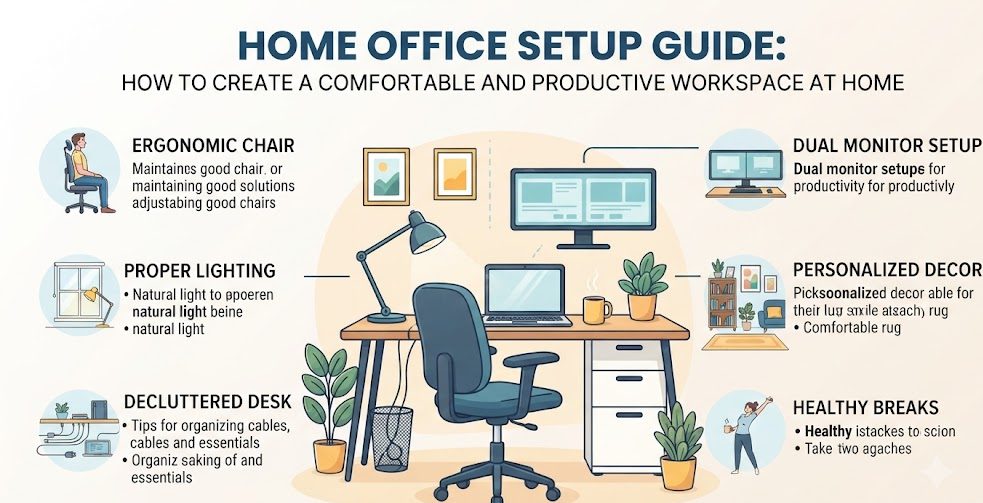
Working from home can be convenient, flexible, and comfortable, but having the right workspace makes a major difference. A well-planned home office can help you stay organized, reduce distractions, work more comfortably, and create a clearer separation between work and personal time. You do not need an expensive room or premium equipment to build a useful workspace. With thoughtful planning, even a small corner of a bedroom, living room, or spare room can become an effective home office.
Why a Good Home Office Setup Matters
A home office is more than a desk and a computer. Your chair, lighting, screen position, storage, internet connection, room temperature, and daily organization can all affect how easily you work.
A poorly arranged workspace may encourage clutter, uncomfortable sitting positions, frequent interruptions, and unnecessary movement. A thoughtfully designed workspace makes commonly used items easier to reach and gives you a consistent place for work-related activities.
Choose the Right Location
Start by deciding where the workspace should be located. If you have a separate room available, it can provide a strong physical boundary between work and home life. However, many people do not have a spare room, and that is completely fine.
A quiet corner of a bedroom, living room, hallway, or other suitable area can work well. The important factors are access to power, reasonable lighting, enough room for your equipment, and minimal interruptions.
Comfort
Choose a location where you can sit comfortably and maintain a natural working position.
Lighting
Use natural or artificial lighting that keeps your workspace bright without creating strong screen glare.
Power Access
Keep electrical outlets and charging points reasonably close to your main equipment.
Selecting a Desk for Your Home Office
The desk is the central part of most home offices. Before buying one, consider how much equipment you normally use. A laptop user may need significantly less space than someone who works with two monitors, notebooks, speakers, or other accessories.
The desk should provide enough surface area for your everyday work without becoming unnecessarily large. Measure the available space first and consider how easily you can move around the desk.
A desk with drawers or shelves can provide additional storage, but open desks can also work well when paired with separate organizers. The best choice depends on the room and the type of work you perform.
Choose a Comfortable Office Chair
Since many home workers spend several hours sitting, a comfortable chair deserves careful attention. Look for a chair that supports your body properly and allows you to sit with your feet comfortably supported.
Adjustable height is useful because it allows you to position yourself relative to the desk. Armrests can also be helpful when they allow your arms to rest naturally without forcing your shoulders upward.
Position Your Computer and Monitor Correctly
Screen placement can have a major effect on everyday comfort. Your main screen should generally be positioned so you can view it without repeatedly bending your neck downward or tilting your head upward.
If you use a laptop for long periods, a separate keyboard and mouse can make it easier to raise the laptop screen to a more comfortable viewing position. A monitor stand or suitable riser can also help improve desk organization.
| Workspace Element | Practical Consideration |
|---|---|
| Monitor | Position it at a comfortable viewing height and distance. |
| Laptop | Consider raising the screen when working for extended periods. |
| Keyboard | Keep it positioned so your hands and wrists can remain relaxed. |
| Mouse | Place it close enough that you do not need to repeatedly reach forward. |
Improve Your Home Office Lighting
Good lighting can make a workspace more pleasant and reduce the need to strain your eyes while reading documents or viewing screens. Natural daylight is useful when available, but the position of the desk matters.
Placing a monitor directly in front of a bright window may create reflections and make the screen difficult to see. A desk positioned perpendicular to a window can sometimes provide a better balance between natural light and screen visibility.
During darker hours, use a suitable desk lamp or room lighting. Avoid relying entirely on the brightness of your computer screen to illuminate the workspace.
Organize Cables and Chargers
Cables can quickly make a home office look cluttered. Computer chargers, monitor cables, phone chargers, headphones, and extension cords can become difficult to manage if they are simply left on the floor or desk.
Simple cable clips, sleeves, ties, or an under-desk cable organizer can keep wires grouped together. Labeling important cables can also make future troubleshooting easier.
Create Practical Storage
A productive workspace becomes difficult to maintain when documents, notebooks, stationery, and other items accumulate on the desk.
Use drawers, shelves, small organizers, document folders, or storage boxes according to the amount of material you need. Keep frequently used items within easy reach and move rarely used items to secondary storage.
Digital organization is equally important. Create clear folders for work documents, invoices, projects, images, downloads, and backups. A clean digital workspace can save just as much time as a clean physical desk.
Build a Distraction-Free Environment
One of the biggest challenges of working from home is that personal activities are often located only a few steps away. Television, household conversations, social media notifications, gaming devices, and other distractions can interrupt focused work.
You can reduce distractions by keeping your workspace dedicated primarily to work. When possible, use headphones for focused tasks, silence unnecessary phone notifications, and establish clear working hours.
If you share your home with other people, communicating your working schedule can also help reduce unnecessary interruptions.
Choose Equipment Based on Your Actual Work
A home office does not need to contain every popular productivity gadget. Start with the equipment that directly supports your work.
Essential Setup
Desk, comfortable chair, computer, reliable internet connection, adequate lighting, and basic cable organization.
Improved Setup
External monitor, keyboard, mouse, laptop stand, better storage, and improved task lighting.
Advanced Setup
Multiple monitors, dedicated peripherals, professional lighting, ergonomic accessories, and specialized equipment.
Plan Your Home Office Budget
It is easy to spend too much money when creating a workspace. Instead of purchasing everything at once, make a list of what you already have and identify the biggest problems with your current setup.
If your chair is uncomfortable, improving the chair may provide more practical value than buying decorative accessories. If your screen is difficult to position, a suitable monitor stand may be more useful than an expensive desk.
Prioritize purchases according to comfort, reliability, and how frequently they will be used.
Keep Your Workspace Clean
A short cleanup routine can prevent clutter from becoming overwhelming. At the end of the workday, return notebooks, documents, chargers, and other items to their normal locations.
Once a week, take a few minutes to remove unnecessary papers, organize digital downloads, clean the desk surface, and check cables. Small maintenance tasks are easier than trying to reorganize an extremely cluttered workspace later.
Use a Simple Daily Work Routine
The physical workspace is only one part of productivity. A consistent routine can make it easier to start and finish work.
Begin the day by identifying the most important tasks. Keep a short task list rather than filling the entire day with unrealistic goals. Group similar activities together when possible and schedule breaks between longer periods of focused work.
At the end of the day, review unfinished tasks and prepare the workspace for the following morning. This creates a clear stopping point between work and personal time.
Common Home Office Setup Mistakes
Buying Too Much Equipment
Expensive accessories do not automatically create a productive workspace. Buy equipment based on actual needs.
Ignoring Chair Comfort
A visually attractive workspace can still be uncomfortable if the chair is unsuitable for long working sessions.
Poor Lighting
Insufficient or badly positioned lighting can make reading and screen work less comfortable.
Leaving Cables Everywhere
Unmanaged cables create visual clutter and can also become a practical safety problem.
Working Without Boundaries
When work and personal activities happen in the same space without a routine, it can become difficult to separate the two.
Ignoring Digital Clutter
A messy desktop and poorly organized files can waste time even when the physical workspace looks clean.
A Simple Home Office Setup Checklist
Frequently Asked Questions
How much space is needed for a home office?
A large room is not required. A small, well-organized corner can work if it provides enough room for your desk, chair, equipment, and comfortable movement.
What is the most important item in a home office?
There is no single item that is best for everyone. A comfortable chair, suitable desk, reliable computer, good lighting, and stable internet connection are common priorities depending on the type of work.
Is a separate room necessary for working from home?
No. A separate room can make it easier to create boundaries, but many people can work effectively from a dedicated area within another room.
How can I create a home office on a small budget?
Start with equipment you already own. Prioritize a suitable desk, comfortable chair, adequate lighting, reliable internet, and basic organization before spending money on decorative or advanced accessories.
How often should a home office be reorganized?
Small daily or weekly maintenance is usually easier than a major reorganization. Review the workspace regularly and remove items that are no longer useful.
Final Thoughts
“`Creating a comfortable and productive home office does not require a large budget or a dedicated professional office room. The most effective setup is one that matches your actual work, available space, daily routine, and personal needs.
Start with the basics: a suitable location, comfortable seating, a practical desk, good lighting, reliable technology, and organized storage. Once these foundations are in place, you can gradually improve the workspace with additional equipment when there is a genuine need.
The goal is not to create a workspace that simply looks impressive. It is to create an environment where you can work comfortably, stay organized, reduce unnecessary distractions, and finish your day with a clear boundary between professional and personal activities.
“`