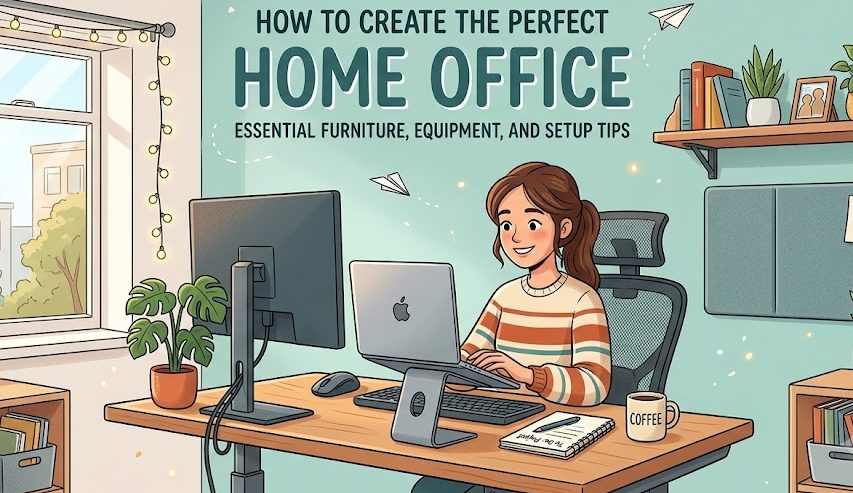
How to Create a Comfortable and Productive Home Office
A good home office does not need to be expensive or complicated. With the right furniture equipment lighting storage and organization you can create a workspace that feels comfortable and helps you stay focused throughout the day.
Why Your Home Office Setup Matters
Working from home can be convenient but a poorly organized workspace can make daily tasks more difficult. A suitable office setup gives you a dedicated place for work and helps separate work activities from the rest of your home.
The goal is not to create a perfect office from the beginning. Start with the things you use every day and improve the space gradually as you understand what works best for you.
Start With the Right Location
The location of your home office can affect how comfortable and focused you feel. If possible choose a quiet area where you can work without frequent interruptions.
A spare room is useful but it is not required. A corner of a bedroom living room or other suitable area can work well when it is organized properly.
Look for Natural Light
A workspace near a window can provide useful natural light during the day. Position your desk so that bright sunlight does not directly reflect into your computer screen.
Consider Noise
Choose an area away from televisions busy walkways and other common sources of noise. If your home is active during work hours headphones or simple room dividers may help create a more focused environment.
Essential Home Office Furniture
Furniture is one of the most important parts of a home office. You do not need expensive furniture but the basic pieces should fit your space and support your daily routine.
Desk
Choose a desk with enough space for your computer writing materials and other equipment you use regularly.
Chair
A suitable office chair should provide comfortable support and allow you to sit at a practical working height.
Storage
Shelves drawers boxes or cabinets can help keep documents supplies and equipment organized.
Choosing a Practical Desk
Measure the available area before buying a desk. A desk that is too large can make a small room feel crowded while a very small desk may not provide enough workspace.
Think about your normal work activities. Someone who mainly uses a laptop may need less space than someone who works with multiple monitors documents and physical equipment.
Choosing a Comfortable Chair
Your chair should allow you to sit comfortably while working. Look for adjustable features when possible so you can find a suitable height for your desk.
A chair should also fit the available space. Large office chairs may provide many features but they can be difficult to use in a small room.
Essential Equipment for a Home Office
After choosing furniture you can focus on the equipment that supports your actual work. The right equipment depends on your profession and daily tasks.
Basic Equipment
- Computer or laptop
- Keyboard and mouse
- Reliable internet connection
- Desk lighting
- Power extension
Useful Additions
- External monitor
- Headphones
- Webcam
- Document storage
- Charging station
Do not buy every accessory at once. Start with the equipment you actually need and add other items when they solve a specific problem.
Organizing Your Desk
A clean desk can make it easier to find the things you need during work. The simplest approach is to keep frequently used items close and move everything else into drawers shelves or storage boxes.
Simple Organization Tip
Keep your most frequently used items within easy reach. Store rarely used equipment somewhere else so your main work area stays open.
Improve Your Home Office Lighting
Lighting can make a major difference to the appearance and comfort of a workspace. Natural light is useful during the day but you should also have a reliable artificial light source for darker hours.
Use More Than One Light Source
A combination of room lighting and desk lighting can create a more balanced workspace. A desk lamp can provide focused light when you are reading writing or working on detailed tasks.
Avoid Strong Screen Reflections
Position your monitor and desk lamp carefully so that bright light does not create distracting reflections on your screen.
Manage Cables and Electronics
Modern home offices can quickly become messy because of charging cables monitor cables power cords and other connections. Simple cable management can make the entire workspace look cleaner.
Create a Productive Work Environment
A home office should make it easier to focus. Try to keep your work area visually simple and remove unnecessary distractions from the immediate workspace.
You can also create a basic routine around your office. Start work at a consistent time when possible and keep your work materials in the same area.
Keep Personal Items Separate
If your home office is also used for entertainment or other activities it can become difficult to switch into work mode. Keeping your desk mainly for work can help create a clearer routine.
Use Simple Storage
Storage does not need to be expensive. Small boxes shelves and drawer organizers can keep documents cables stationery and other supplies under control.
Common Home Office Mistakes
Avoid Buying Too Much Equipment
A large collection of gadgets does not automatically create a better workspace. Buy equipment based on your actual needs rather than trends.
Ignoring Available Space
Always measure your room and desk area before buying large furniture. Planning the layout first can prevent an uncomfortable setup.
Forgetting Storage
Even a simple home office can become cluttered without a place for documents and supplies. Include basic storage from the beginning.
Using Poor Lighting
A workspace that is too dark or has distracting reflections can become uncomfortable. Consider both natural and artificial lighting when arranging the room.
Build Your Home Office Step by Step
You do not need to complete your entire home office in one day. A gradual approach can make the process easier and more affordable.
Start by choosing the location. Then measure the available space and select a desk and chair. After that add your computer and essential equipment. Once the main setup is working organize cables and storage.
Finally improve lighting and add small personal touches that make the workspace feel comfortable without creating unnecessary clutter.
Home Office Setup Checklist
Create a Workspace That Fits Your Routine
The perfect home office is different for everyone. A freelancer may need a large desk while someone who mainly works from a laptop may prefer a smaller setup. The important thing is to build the workspace around the tasks you actually perform.
Start with the essentials and improve your setup gradually. A practical desk comfortable furniture good lighting reliable equipment and simple organization can turn an ordinary corner of your home into a useful and productive workspace.