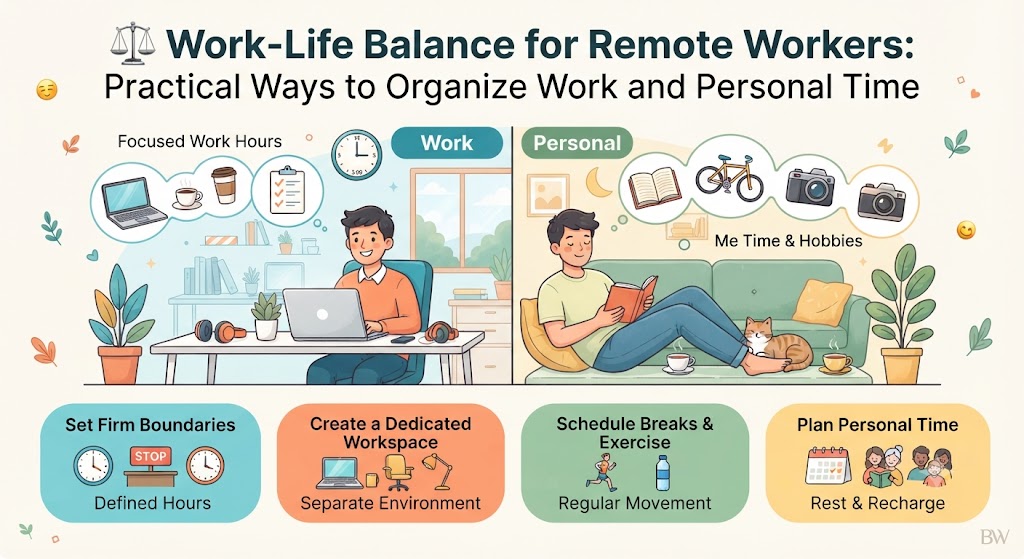
Work-Life Balance for Remote Workers: Practical Ways to Organize Work and Personal Time
Working from home can provide flexibility, but without clear boundaries, professional responsibilities can easily blend into personal life. A practical routine can help remote workers stay productive while protecting their time outside work.
Remote work has changed the way many people organize their professional lives. Instead of commuting to an office every morning, employees and freelancers may begin their workday only a few steps away from their bedroom, kitchen, or living room. This flexibility can save time and make daily schedules easier to manage.
At the same time, remote work can create a different challenge: work and personal time can become difficult to separate. A laptop may remain open after working hours, notifications can arrive during dinner, and unfinished tasks can encourage people to continue working late.
A healthy work-life balance does not necessarily mean dividing every day into perfectly equal amounts of work and personal time. It means creating a routine where work receives focused attention during working hours while personal activities, rest, family time, and hobbies receive protected space as well.
Why Work-Life Balance Can Be Difficult When Working Remotely
The main difficulty is often the lack of physical separation. In a traditional workplace, leaving the office provides a natural signal that the working day is ending. Remote workers may not have that transition.
The Home Becomes the Workplace
When professional tasks happen in the same environment used for relaxation, it can become harder to mentally switch between work mode and personal mode.
Constant Notifications
Email, messaging applications, project platforms, and mobile notifications can make workers feel connected to work even after their scheduled hours finish.
Flexible Hours Can Become Long Hours
Flexibility is useful, but without boundaries it may encourage people to start early, finish late, or repeatedly return to work throughout the evening.
Create a Workday With a Clear Beginning and End
One of the simplest ways to improve work-life balance is to establish a consistent beginning and ending routine. The exact working hours can differ depending on the job, time zone, employer, or clients.
The important part is creating a predictable structure. Starting work can involve preparing coffee, reviewing priorities, and opening the required applications. Ending work can involve checking unfinished tasks, preparing the next day’s priorities, and closing work applications.
Even without traveling home from an office, a short closing routine can create a psychological transition between professional responsibilities and personal time.
A Simple Remote Workday Structure
A schedule does not need to be rigid. The following example demonstrates how work and personal activities can be separated without making the entire day feel overly controlled.
Breakfast, personal preparation, light planning, and setting the day’s priorities.
Begin with the most important professional responsibilities rather than immediately checking every notification.
Step away from the screen, stretch, drink water, or briefly change surroundings.
Take a genuine break instead of eating while continuing to work.
Complete important tasks, meetings, communication, and project updates.
Review progress, record unfinished tasks, prepare tomorrow’s priorities, and close work systems.
Exercise, hobbies, family activities, social plans, relaxation, or other non-work priorities.
Use Time Blocks Instead of Constant Task Switching
Remote workers often have to manage several responsibilities at once. Emails, meetings, messages, research, writing, customer requests, and administrative work can compete for attention.
Constantly switching between these activities can make the workday feel longer. Time blocking provides a simpler alternative. Instead of responding to every task immediately, similar activities can be grouped into dedicated periods.
Focused Work Block
Reserve a period for tasks that require concentration, such as writing, programming, design, research, analysis, or planning.
During this period, unnecessary notifications can be minimized so the worker can maintain attention.
Communication Block
Emails, team messages, customer replies, and routine updates can be handled during planned communication periods.
This reduces the need to monitor communication platforms continuously throughout the day.
Set Boundaries Around Work Communication
Clear communication boundaries are especially important for remote workers who collaborate across different locations and time zones.
Define normal availability. Let colleagues or clients know when you are generally available and when your working day ends.
Use notification controls. Non-urgent alerts can be muted outside working hours rather than remaining active throughout the evening.
Separate urgent from non-urgent communication. Not every message requires an immediate response. Establishing expectations can reduce unnecessary pressure.
Avoid creating a permanent online presence. Being technically available every minute does not necessarily improve productivity or communication.
Create a Shutdown Routine
A shutdown routine can take only ten minutes, but it can make the transition out of work much clearer.
Before closing work
Review completed tasks and identify anything that still requires attention.
Write down the first important task for the following workday.
After closing work
Close professional applications and move the laptop away from the main relaxation area when practical.
Change activities immediately by taking a walk, preparing dinner, exercising, or spending time with family.
Design a Workspace That Signals “Work Mode”
A dedicated office is helpful, but it is not essential. Remote workers can create a work zone using a desk, a small table, or another consistent area.
The goal is to create a visual and physical distinction between professional activity and relaxation. When the same laptop is used for work, entertainment, and personal browsing, separate browser profiles or user accounts can also help create clearer boundaries.
Keep Work Items Together
Store notebooks, chargers, documents, and other professional materials in one location so they do not spread throughout the home.
Reduce Visual Distractions
A clean and simple work area can make it easier to focus without turning the entire room into an office.
Pack Away When Possible
When the workday ends, putting away professional equipment can provide a useful signal that work has finished.
Protect Breaks Instead of Treating Them as Lost Time
Short breaks are part of a sustainable work routine. Sitting continuously for long periods can make the day feel exhausting, especially when most work involves a computer.
A break does not need to be complicated. Standing up, walking around the home, getting some water, looking outside, stretching, or having a short conversation can provide a useful change of activity.
Lunch should also be treated as a genuine break whenever possible. Eating while responding to emails may technically save minutes, but it can make the workday feel continuous from morning to evening.
Keep Personal Time on the Calendar
Many people schedule meetings and deadlines but leave personal activities as “free time.” That can make personal priorities easier to postpone.
Instead, important personal activities can be given a place in the schedule. Exercise, family dinner, hobbies, appointments, social activities, and quiet time can all receive reasonable time blocks.
| Personal Priority | Simple Scheduling Approach | Why It Helps |
|---|---|---|
| Exercise | Choose a consistent period several days a week | Reduces the chance of repeatedly postponing physical activity |
| Family Time | Create protected periods without work notifications | Makes conversations and shared activities easier to enjoy |
| Hobbies | Reserve specific evenings or weekend periods | Creates space for interests outside professional responsibilities |
| Rest | Keep a reasonable end to the working day | Prevents every available hour from becoming work time |
Learn to Separate “Important” From “Urgent”
Remote workers can easily feel pressure when several tasks appear at the same time. However, an incoming message is not automatically more important than the task already being completed.
At the beginning of each day, identify the tasks that genuinely need attention. A short priority list can contain one or two major outcomes along with smaller responsibilities.
This approach can also reduce evening work. When priorities are clear, workers are less likely to spend the day reacting to small requests and discover later that important work remains unfinished.
Common Habits That Can Damage Work-Life Balance
Starting Without a Plan
Opening email or messaging platforms immediately can allow other people’s priorities to control the beginning of the workday.
Working Through Every Break
Skipping breaks may create the feeling of productivity while making long work sessions more tiring.
Checking Work at Night
Repeatedly checking work messages after hours can make personal time feel like an extension of the working day.
Using the Weekend as Catch-Up Time
Occasional weekend work may be necessary for some roles, but consistently relying on weekends can indicate that weekday workload or priorities need adjustment.
Being Available for Everything
Trying to respond instantly to every request can create unnecessary interruptions and make focused work more difficult.
Never Updating the Routine
A schedule that works during one season of life may not work during another. Remote routines should be adjusted when responsibilities change.
What to Do When Workload Becomes Too Large
Work-life balance is not always a scheduling problem. Sometimes the workload itself is larger than the available working hours.
When that happens, simply becoming more organized may not solve the underlying issue. It can be useful to discuss priorities with a manager, clarify deadlines, renegotiate project scope when appropriate, or identify tasks that can be delayed or delegated.
Freelancers and independent workers can also review whether they have accepted more projects than their current schedule can realistically support.
“If I continue working at this pace for the next several months, is this routine realistically sustainable?”
Work-Life Balance Looks Different for Different People
There is no universal remote-work schedule. Some people are more productive early in the morning, while others prefer later working hours. Parents, students, freelancers, employees, and business owners may also have very different daily responsibilities.
The goal is therefore not to copy another person’s routine exactly. Instead, build a structure that matches your responsibilities while protecting sufficient time for rest and personal priorities.
What matters most is whether the routine is predictable, manageable, and sustainable rather than whether it looks perfect on paper.
Frequently Asked Questions
How many hours should a remote worker work each day?
The appropriate number depends on the job, employment agreement, workload, and local requirements. The important point is to establish reasonable working hours and avoid allowing work to expand indefinitely into personal time.
Should remote workers completely turn off notifications after work?
For many roles, muting non-urgent notifications after working hours can be helpful. Workers who handle genuine emergencies may need a separate method for urgent communication.
How can I stop thinking about work after finishing for the day?
A consistent shutdown routine can help. Writing down unfinished tasks and the next day’s priorities can reduce the need to mentally remember everything during personal time.
Is working from home always better for work-life balance?
Not necessarily. Remote work offers flexibility, but its benefits depend on workload, personal circumstances, workspace, communication expectations, and the ability to maintain reasonable boundaries.
What is the easiest change to make first?
Start by establishing a clear end to the workday. A simple shutdown routine, notification boundary, and transition activity can make a noticeable difference without requiring a complete lifestyle change.
Building a More Sustainable Remote Work Routine
Work-life balance for remote workers is mainly about creating boundaries that make professional and personal time easier to distinguish. A practical routine can include defined working hours, focused work blocks, genuine breaks, controlled notifications, and a clear end-of-day process.
The most effective routine is not necessarily the most complicated one. Even a few consistent habits can make remote work feel more organized and predictable. Over time, these boundaries can help workers protect personal time without sacrificing professional responsibilities.
Plan the workday • Protect personal time • Build sustainable habits