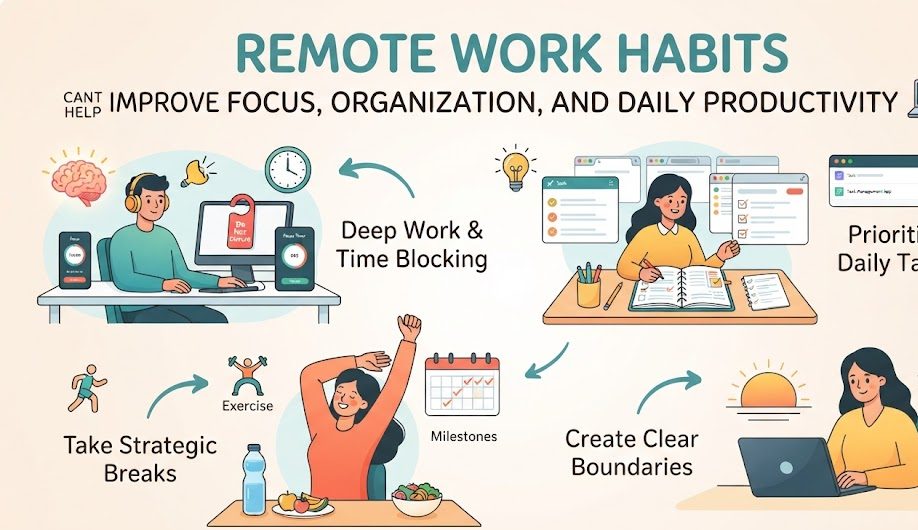
Remote Work Habits That Can Help Improve Focus, Organization, and Daily Productivity
Working from home offers flexibility, but that flexibility can also make it harder to maintain a consistent routine. Without the structure of a traditional workplace, distractions, household responsibilities, notifications, and unclear working hours can easily interfere with productive work. Building a few practical habits can make remote work more organized and easier to manage.
Why Remote Work Habits Matter
Productivity while working remotely is not simply about working longer hours. It is more closely connected to how effectively you organize your time, manage interruptions, communicate with others, and create an environment that supports focused work.
Good habits create predictable patterns. When you start work at a consistent time, organize your priorities, control notifications, and finish the day with a short review, you spend less mental energy deciding what to do next.
Build a Consistent Start-of-Day Routine
Starting the workday in the same general way can help create a clear transition into work mode. This does not mean every morning needs to follow a rigid schedule. A simple sequence is often enough.
Before beginning major tasks, check your calendar, review important messages, and identify the most valuable tasks for the day. Avoid spending the first hour responding to every notification if there are important projects that require focused attention.
Prepare
Set up your workspace and remove obvious distractions before beginning work.
Review
Check your schedule, deadlines, and important updates that affect the day.
Prioritize
Choose the tasks that deserve your strongest attention and energy.
Plan the Day Before Starting
A long task list can sometimes create more stress than clarity. Instead of writing down everything you could possibly do, identify a small number of meaningful priorities.
Separate important work from routine activities. A major project deadline may deserve dedicated focus, while checking routine messages can often be handled during a scheduled communication period.
Choose Priorities
Select the tasks that have the greatest impact rather than simply starting with the easiest items.
Use Your Calendar
Reserve time for important work instead of allowing the entire day to become filled with unexpected requests.
Break Down Projects
Large projects become easier to manage when they are divided into clear, achievable tasks.
Create Dedicated Focus Periods
Remote workers often face interruptions from messages, emails, household activities, and social media. One practical solution is to create specific periods where notifications are reduced and attention is directed toward one task.
A Simple Focus Method
Choose one meaningful task, remove unnecessary distractions, work for a defined period, and take a short break before deciding what to do next.
“`Reduce Digital Distractions
Digital distractions can be especially difficult during remote work because the same computer may contain work applications, entertainment, social media, shopping websites, and personal messages.
Disable notifications that are not necessary during focused work. Keep unrelated browser tabs closed and consider separating work-related and personal applications where practical.
You do not need to eliminate every distraction. The objective is to make distracting activities less automatic so that you can choose when to engage with them.
Use a Clear System for Organizing Tasks
Remote work becomes easier to manage when tasks are stored in one reliable system rather than scattered across notebooks, chat messages, emails, and memory.
A task manager, calendar, spreadsheet, or simple notes system can work. The important part is consistency. When a new task arrives, record it in the appropriate place instead of relying on memory.
| Task Type | Useful Approach | Why It Helps |
|---|---|---|
| Important project | Break it into smaller tasks and assign target dates. | Makes large work easier to track. |
| Quick task | Record it in a short task list. | Prevents small tasks from being forgotten. |
| Scheduled activity | Place it on the calendar. | Creates a specific time for the activity. |
| Waiting for someone | Track the follow-up separately. | Reduces the chance of forgotten dependencies. |
Keep Your Workspace Ready for Work
Your physical environment can influence how easily you transition into work. A workspace does not need to look like a professional office, but it should provide enough room for your equipment and important materials.
Keep frequently used items nearby and remove unnecessary objects from the main working area. At the end of the day, return important items to their normal locations so that the next work session can begin without a lengthy cleanup.
Physical Organization
Keep the desk clear, organize cables, store documents properly, and make sure your chair and screen are positioned comfortably.
Digital Organization
Use clear folders, meaningful file names, organized browser bookmarks, and a clean desktop to reduce unnecessary searching.
Set Boundaries Around Working Hours
One challenge of remote work is that there may be no physical commute to signal the beginning and end of the workday. This can make it tempting to continue working long after planned hours.
Setting general working hours can create a useful boundary. When the workday ends, close work applications, organize tomorrow’s priorities, and physically leave the workspace when possible.
Use Communication Windows
Constantly checking messages can break concentration. Instead of responding to every message immediately, consider checking routine communication at planned intervals.
Urgent communication should follow whatever process your team has established. For normal messages, a reasonable response window can allow you to complete focused work without feeling that every notification requires an immediate response.
Take Intentional Breaks
Breaks are a practical part of a sustainable work routine. Standing up, walking around, getting water, or briefly stepping away from the screen can provide a useful reset between work periods.
The purpose of a break is to step away from concentrated work rather than replace one form of screen activity with another. A short social media session can sometimes turn into a much longer distraction.
Create a Simple Daily Timeline
A flexible timeline can provide structure without turning the entire workday into a rigid schedule. The exact times will depend on your job and personal responsibilities.
Review and Prioritize
Check the calendar, review important updates, and identify the main tasks for the day.
Complete Important Work
Use your strongest concentration period for demanding tasks whenever possible.
Communication and Routine Tasks
Handle messages, meetings, administrative work, and other activities that do not require extended concentration.
Continue Priority Work
Complete remaining important tasks and review anything that requires follow-up.
Review and Close
Record progress, identify unfinished tasks, and prepare the workspace for the next day.
Keep Meetings Purposeful
Remote workers can spend a significant portion of the day in video meetings. Meetings can be useful for decisions, collaboration, problem-solving, and discussions that benefit from real-time interaction.
However, routine updates do not always require a meeting. When a short written update can communicate the same information, asynchronous communication may save time for everyone involved.
Build a Habit of Finishing Tasks
Starting many tasks without completing them can create mental clutter. When possible, finish smaller tasks before moving to another activity, and divide larger projects into clear stages.
This does not mean every task must be completed immediately. Some projects naturally require several stages or depend on other people. The important point is to keep track of unfinished work so that it does not remain in your mind as an unresolved reminder.
Review Your Work at the End of the Day
A short end-of-day review can take only a few minutes. Look at what was completed, what remains unfinished, and what needs attention tomorrow.
This habit can also help you identify recurring problems. If the same type of task repeatedly consumes more time than expected, you may need to adjust your schedule, workflow, or tools.
Useful Remote Work Habits to Practice
Start Consistently
Use a reasonably consistent start time to create a predictable transition into your workday.
Prioritize Clearly
Identify the work that matters most instead of allowing easy tasks to consume the entire day.
Control Notifications
Reduce unnecessary alerts when you need uninterrupted concentration.
Reset Your Workspace
Spend a few minutes restoring order after finishing the day’s work.
Record New Tasks
Capture tasks in a reliable system instead of depending entirely on memory.
End the Workday
Create a clear stopping point so remote work does not expand indefinitely into personal time.
Common Remote Work Habits That Can Reduce Productivity
Starting Without a Plan
Opening the computer and immediately responding to everything can leave important work unfinished.
Constant Notification Checking
Repeatedly switching between tasks and messages can make focused work more difficult.
Working From an Unorganized Space
Clutter can make it harder to find documents, equipment, and other items when you need them.
Skipping Breaks
Working continuously for long periods without stepping away can make the day feel unnecessarily exhausting.
Overloading the Task List
An unrealistic list can create pressure and make it difficult to recognize what actually deserves priority.
Never Ending the Workday
Without a clear stopping point, remote work can gradually take over personal time and evening hours.
Daily Remote Work Checklist
Frequently Asked Questions
What is the most important habit for remote work?
There is no single habit that works equally well for everyone. A consistent routine, clear priorities, controlled distractions, and organized task management are useful foundations for many remote workers.
How can I stay focused while working from home?
Create dedicated focus periods, reduce unnecessary notifications, keep your workspace organized, and work on one important task at a time whenever practical.
How many tasks should I plan for one day?
There is no universal number. The right amount depends on the complexity of your work. It is generally more useful to choose a realistic set of priorities than to create an extremely long list that cannot reasonably be completed.
Should I check work messages throughout the entire day?
Routine messages do not always require immediate responses. Scheduled communication periods can help protect focused work, while genuinely urgent issues should follow the communication process established by your team.
How can I stop working at the end of the day?
Create a closing routine. Review unfinished tasks, prepare tomorrow’s priorities, organize the workspace, and close work applications when your planned working period ends.
Final Thoughts
“`Remote work can provide excellent flexibility, but a productive routine rarely happens by accident. Small habits such as planning the day, protecting focus periods, organizing tasks, controlling notifications, taking intentional breaks, and ending work at a clear time can make the working day easier to manage.
You do not need to change everything at once. Start with one or two habits that address your biggest daily problem and gradually build a routine that fits your work and personal responsibilities.
The most effective remote-work system is one that is practical enough to follow consistently. When your workspace, schedule, tasks, communication, and end-of-day routine work together, you can create a more organized working environment without making productivity unnecessarily complicated.
“`